🧟 Zombies Mode Setup (COD 20/21/22)
This guide is for MWZ / Zombies modes in COD 20/21/22. Because zombies are AI units and appear in large numbers, the setup differs from standard multiplayer.
I. Enable Zombie ESP
1. Open the setting panel
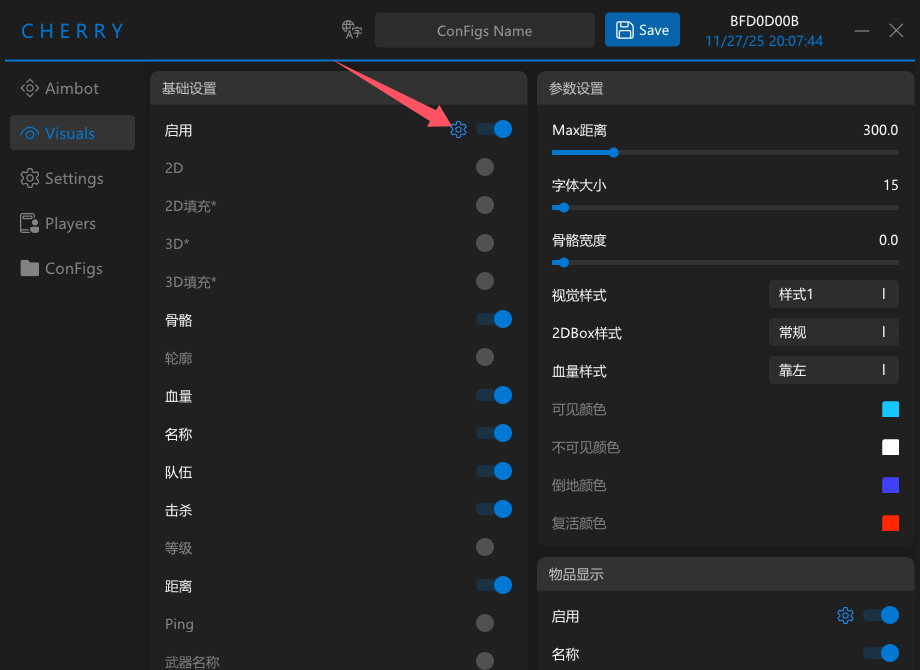
Go to the second page (Visuals).
Next to the first Enable switch, click the gear icon ⚙️.
2. Enable the Zombies option
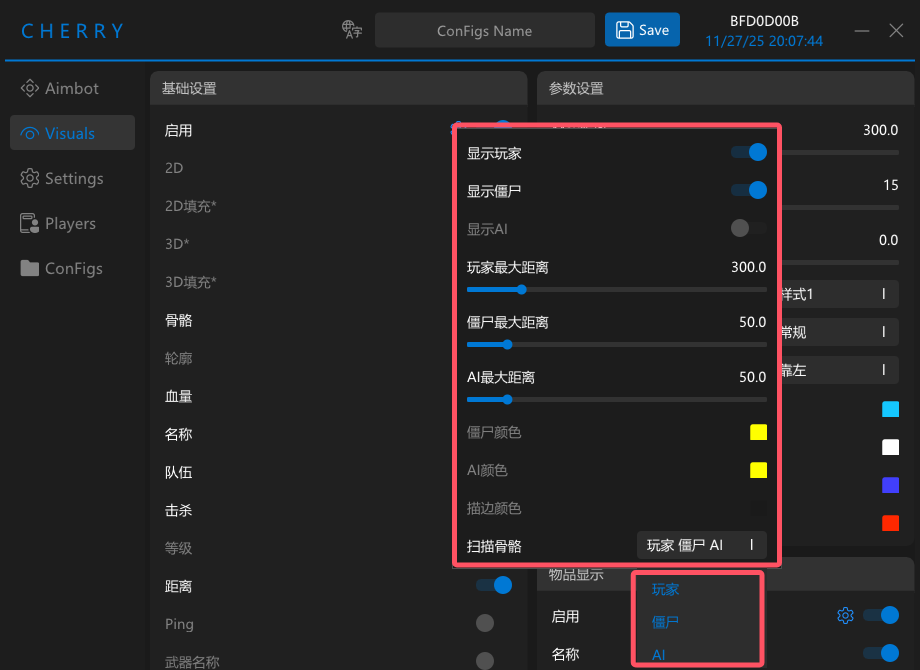
In the popup window, enable the Zombies option.
Please enable Scan Bone All.
Without it, ESP may only show boxes and Zombie aimbot may fail to lock bones correctly.
II. Enable Zombie Aimbot
In DMA mode, AI / Zombies cannot use normal visible checks.
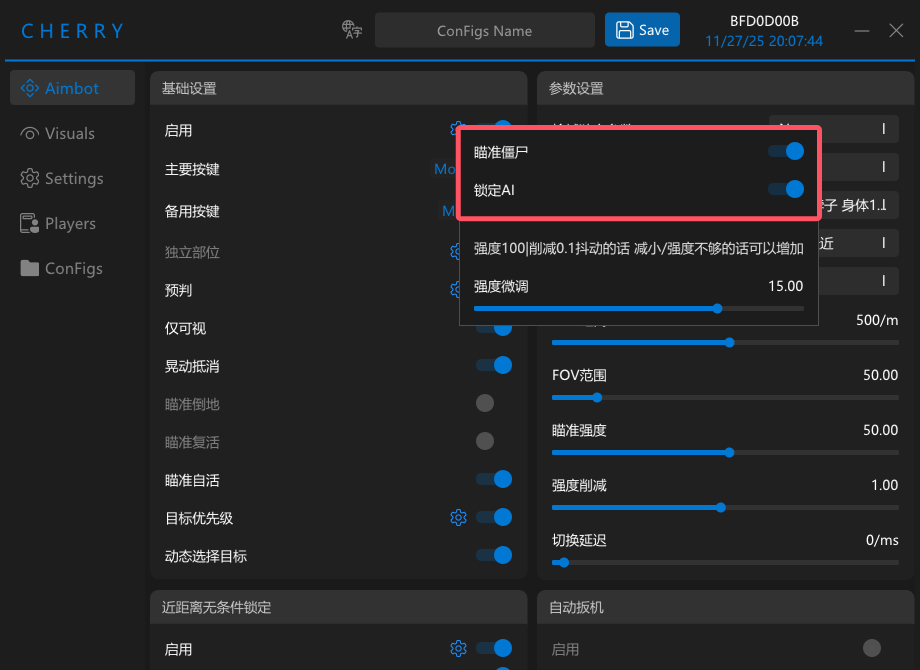
If you want aimbot to work on zombies, you must disable Visible Only.
Otherwise all zombie targets may be treated as hidden behind walls.
1. Disable Visible Only
Go to the first page (Aimbot), find Visible Only, and turn it OFF.
2. Enable Zombie targeting
On the first page, click the gear icon ⚙️ next to the main Enable switch.
In the popup, enable Target Zombies.