🧟 DMZ Mode: AI ESP & Aimbot
In DMZ, AI soldiers are a major threat in addition to real players. This guide explains how to enable ESP and aimbot for AI targets correctly.
I. Enable AI ESP
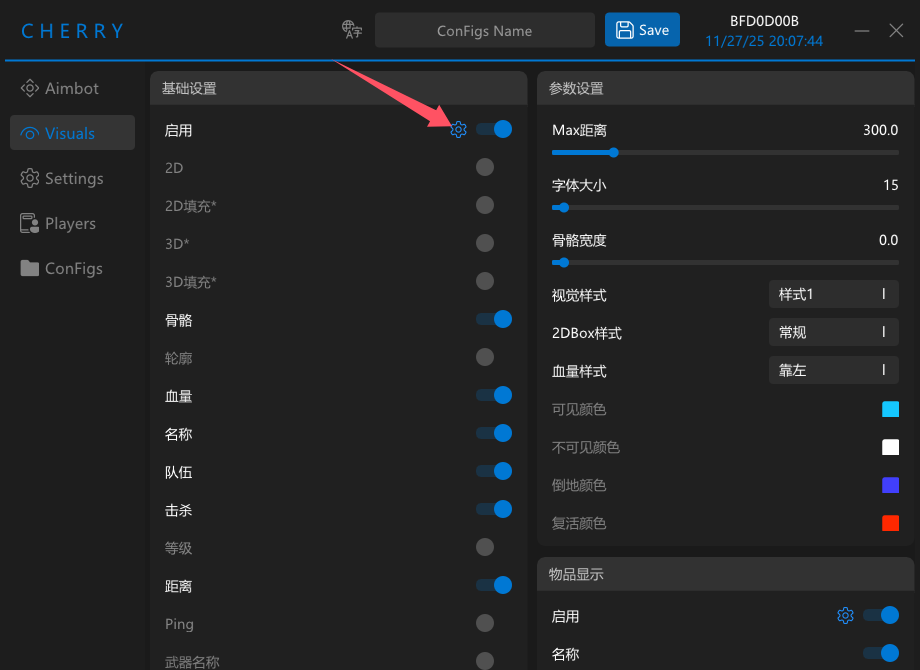
1. Open the setting panel
Go to the second page (Visuals).
Next to the first Enable switch, click the small gear icon ⚙️.
This opens the detailed AI settings panel.
2. Enable the AI option
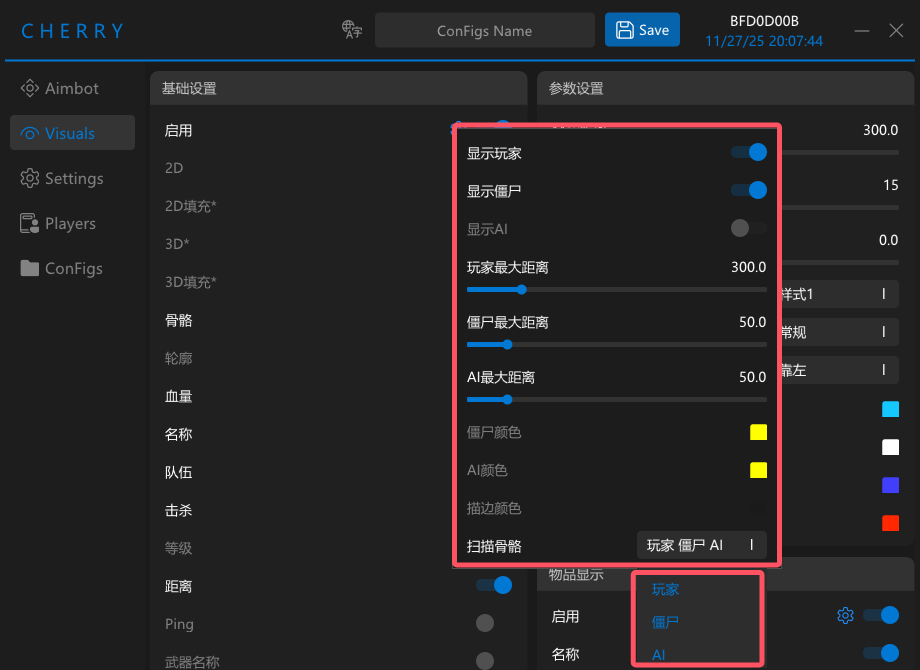
In the popup window, enable the AI option.
Make sure you click Scan Bone All.
If you skip this step, ESP may only show boxes and AI bone aimbot will not work correctly.
II. Enable AI Aimbot
In DMA mode, AI targets cannot use normal visible / cover checks.
If you want aimbot to lock AI, you must disable Visible Only.
Otherwise the client will treat AI targets as blocked and refuse to lock them.
1. Disable Visible Only
Go to the first page (Aimbot), find Visible Only, and turn it OFF.
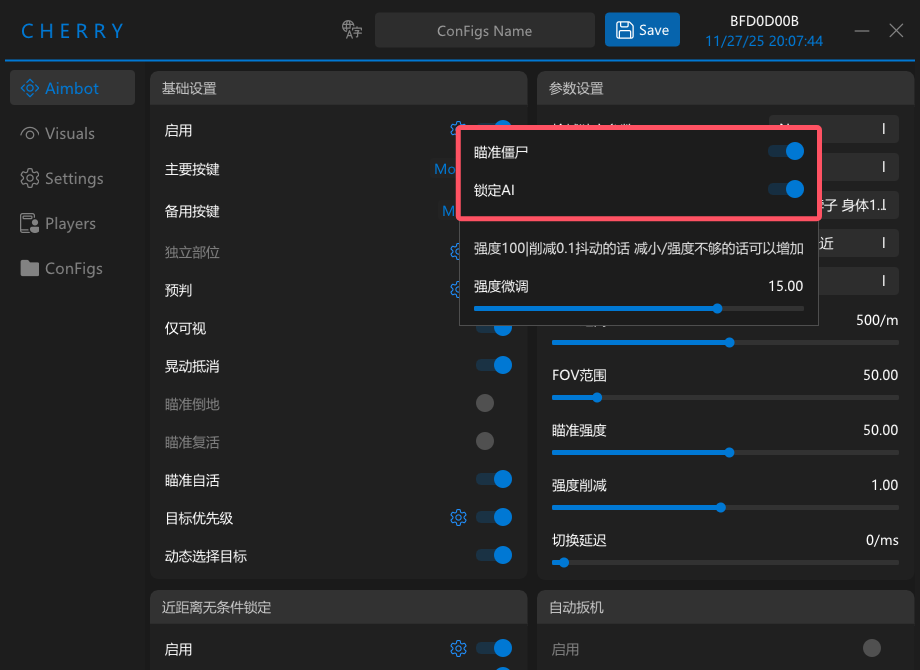
2. Enable AI targeting
On the first page, click the gear icon ⚙️ next to the main Enable switch.
Then enable Target AI in the popup.