🎯 Aimbot Parameters Explained
Cherry DMA offers a very fine-grained aimbot system. Understanding strength and smoothing will let you choose anywhere between a hard lock and a natural-looking assist.
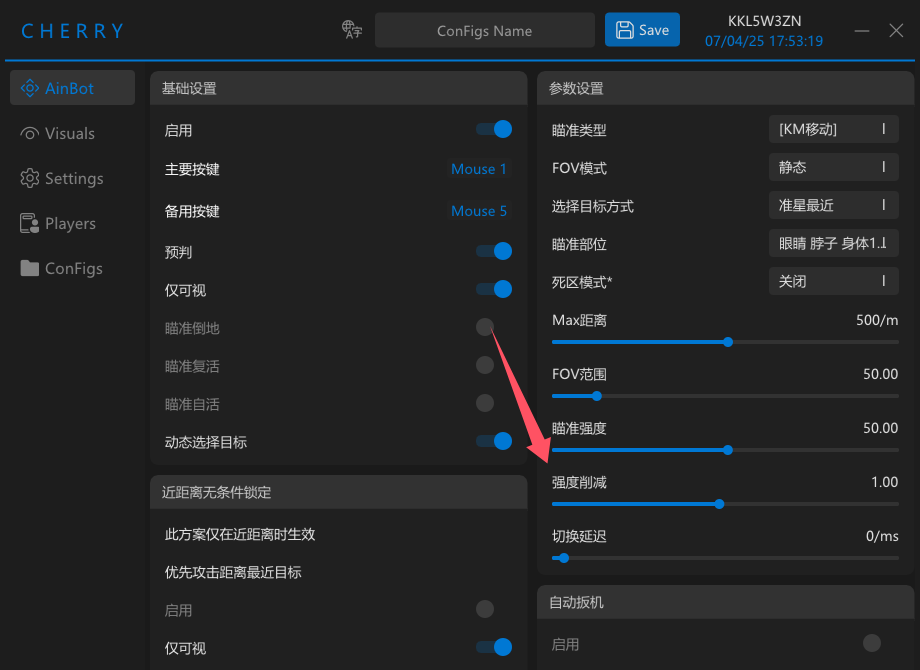
Figure 1 - Cherry aimbot configuration panel
✅ 1. Aim Strength
This is the main value that controls how strongly the crosshair is pulled onto a target.
📌 What it means
- Higher value: faster and stronger lock.
- Lower value: weaker pull and a more natural hand feel.
💡 Example:
- 100: very aggressive lock, almost like a magnet.
- 50: softer, more natural correction and less obvious tracking.
✅ 2. Smoothing
This controls how buffered and human-like the movement looks while the aimbot tracks a target.
📌 What it means
- Lower value: faster and more mechanical tracking.
- Higher value: smoother, more human-looking motion.
💡 Example:
- 0.1: extremely direct and aggressive tracking.
- 2.0: very smooth movement that looks closer to manual mouse control.
🔧 Recommended Balance
🏆 Balanced profile (recommended):
A strong middle ground between natural behavior and practical tracking.
A strong middle ground between natural behavior and practical tracking.
- Strength: 60 ~ 80
- Smoothing: 1.0 ~ 0.1
* If you want lower visibility and more “legit” behavior, reduce strength and increase smoothing.